Open-Source Digital Signage
for Any Screen
Free, open-source digital signage software to manage TVs, video walls, and kiosks from anywhere. A complete digital signage CMS with remote control, scheduling, playlists, and analytics — self-host it on your own server or use our managed cloud.
Fully Open Source
MIT licensed. Self-host on your own infrastructure or use our managed cloud. Your data, your rules.
github.com/screentinker/screentinkerUp and Running in Minutes
No proprietary hardware, no complicated setup.
Connect a screen
Install the free player on an Android TV, Fire TV, Raspberry Pi, Windows PC, or open a browser tab — then pair it with a code.
Add your content
Upload images and video, build playlists and multi-zone layouts, or design screens with built-in widgets.
Schedule and publish
Assign content to displays or groups, set day/time schedules, and push live. Change it any time from your phone.
Everything You Need
Every feature you'd expect from an enterprise digital signage CMS — video walls, scheduling, proof-of-play, and remote monitoring — free and open source.
Multi-Zone Layouts
Split screens into zones with a drag-and-drop editor. 7 built-in templates or create your own.
Video Wall
Combine multiple displays into one giant screen. Automatic bezel compensation. Any grid size.
Remote Control
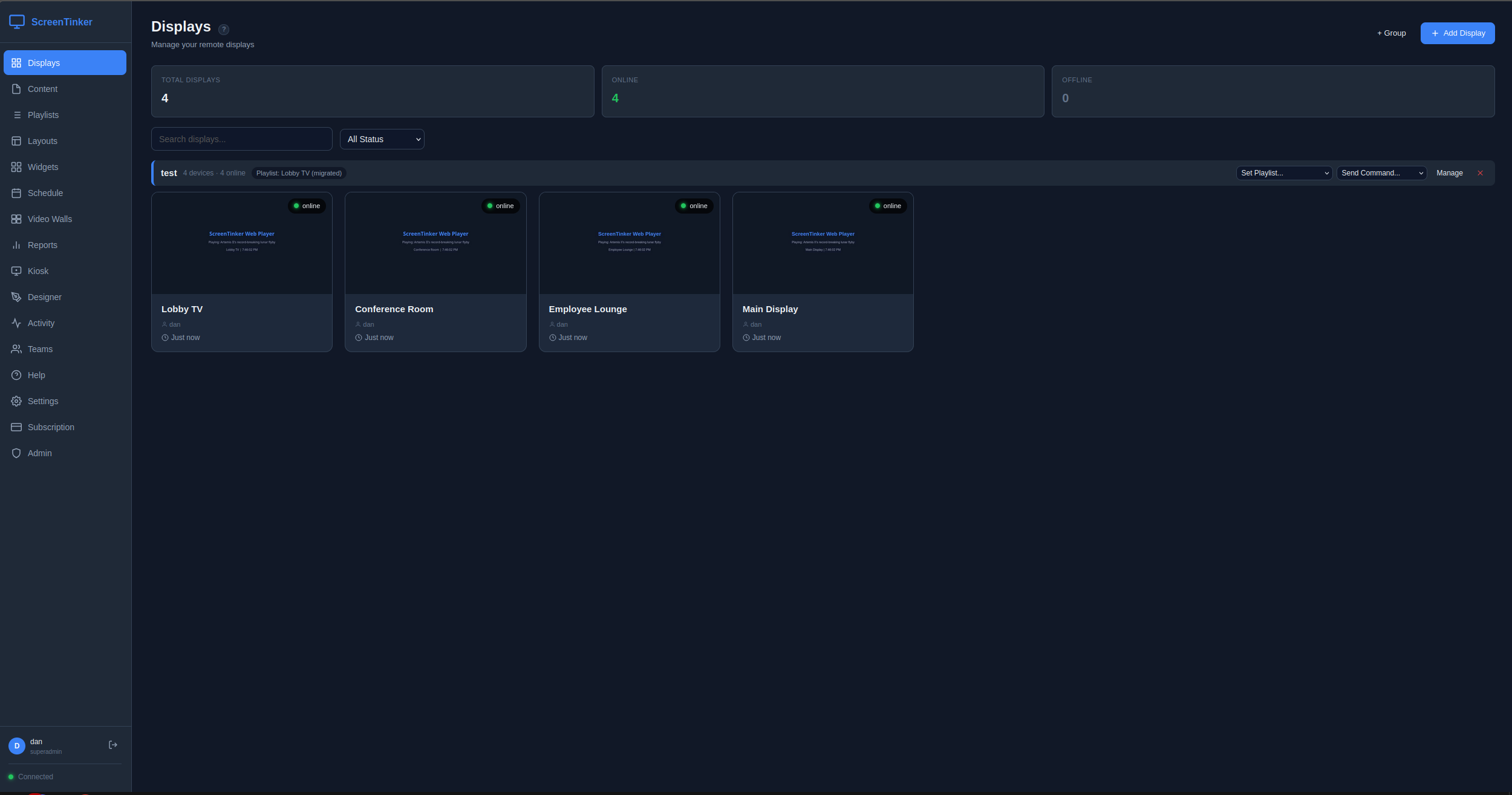
See what's on screen in real-time. Send key presses, navigate menus, power on/off remotely.
Scheduling
Visual weekly calendar with recurrence rules. Schedule per device or for whole groups — device rules override the group.
Playlists
Share one playlist across many displays. Draft changes, preview, then publish — or revert to the last published version.
Directory Board
Scrolling lobby, building, and staff directories. Categories, dark & light themes, anti-burn-in. Not found in any other open-source CMS.
Content Designer
Built-in editor with live clocks, weather, RSS tickers, countdowns, QR codes, and more.
Kiosk Mode
Create interactive touchscreen interfaces. Wayfinding, directories, check-in screens.
Proof-of-Play
Track what played, when, and on which device. Export CSV reports for ad verification.
Alerts & Monitoring
Email alerts when devices go offline. Full telemetry: battery, storage, WiFi, uptime.
Offline Resilience
Displays keep playing cached content when the internet or your server drops. They catch up automatically when you're back.
Mobile Dashboard
Manage everything from your phone. The full dashboard works on any mobile browser — no separate app needed.
Self-Hosted Option
Deploy on your own infrastructure. Your data never leaves your network. Lock down signups with a single env var.
White Label
Custom branding, colors, logo, and domain. Resell under your own brand.
Teams
Multi-user accounts with owner, editor, and viewer roles. Invite by email.
Auto-Update
Devices automatically update when you push a new version. Zero manual intervention.
Digital Signage for Any Space
One platform, every use case.
Retail & QSR
Menu boards, promotions, and price updates pushed to every location instantly.
Restaurants & Cafés
Digital menu boards with dayparting — breakfast, lunch, and dinner menus that switch themselves on schedule.
Offices & Corporate
Lobby welcome screens, meeting-room signs, KPI dashboards, and internal comms.
Schools & Universities
Campus announcements, event calendars, and emergency alerts across every building.
Healthcare & Clinics
Waiting-room info, wayfinding, and check-in kiosks that keep playing even offline.
Churches & Nonprofits
Free, self-hostable signage for lobbies and sanctuaries with no recurring cost.
Gyms & Fitness
Class schedules, promos, and live directories on any screen you already own.
Building & Staff Directories
Scrolling lobby, tenant, and staff directories with categories and anti-burn-in.
Runs on Everything
No hardware lock-in. Use any screen you already have.
Simple, Honest Pricing
All plans include remote control, monitoring, and unlimited content
How We Compare
| ScreenTinker | Yodeck | ScreenCloud | OptiSigns | |
|---|---|---|---|---|
| Price (15 devices/yr) | $1,188 | $1,440+ | $3,600+ | $1,800+ |
| Free tier | ✓ 1 device | ✓ | ✗ | ✓ |
| Video Wall | ✓ Included | Basic | Basic | Paid add-on |
| Live screen view + remote key presses* | ✓ All plans | Limited | Limited | Limited |
| Kiosk/Touchscreen | ✓ Included | ✓ | Limited | ✓ |
| Proof-of-Play | ✓ All plans | Paid tier | Paid | Paid |
| Self-Hosted | ✓ Only us | ✗ | ✗ | ✗ |
| White Label | ✓ Included | Paid | Enterprise | Paid tier |
| Email Alerts | ✓ All plans | Paid | Paid | Paid |
* Live screen view + remote key presses is Android only and requires granting the on-device accessibility permission.
Comparison as of June 2026, based on each vendor's publicly listed pricing and documentation. Spot an error? Open an issue on GitHub and we'll fix it.
Resources
Setup guides and honest comparisons.
Frequently Asked Questions
Everything you need to know about running open-source digital signage.
Is there free digital signage software?
Yes. ScreenTinker is free and open source (MIT licensed). The free cloud plan runs 1 display with 500 MB of storage, and if you self-host there's no per-screen fee at all — run as many displays as your own server can handle. New accounts also get a 14-day Pro trial (15 displays) with no credit card required.
Can I run digital signage on a Raspberry Pi?
Yes. A Raspberry Pi 4 or newer makes an excellent low-cost signage player. Our one-line installer sets up kiosk mode, auto-start, and pairing for you. See the full walkthrough in our Raspberry Pi digital signage guide.
Does ScreenTinker work on Android TV and Fire TV?
Yes. Install the free APK on any Android TV box or Amazon Fire TV Stick to turn it into a managed signage display, complete with kiosk mode and live remote control. Step-by-step instructions are in our Android TV & Fire TV guide. ScreenTinker also runs on Windows, ChromeOS, LG webOS, Samsung Tizen, and any web browser.
What's the difference between self-hosted and cloud digital signage?
With cloud, we host everything and you just sign in — the fastest way to start. With self-hosting, you deploy ScreenTinker on your own server or VPS so your content and device data never leave your network, with no recurring SaaS fees. You can switch later. Our self-hosted digital signage guide covers sizing, deployment, TLS, and backups.
Is ScreenTinker really open source?
Yes. The full platform is released under the permissive MIT license on GitHub. You can read the code, self-host it, modify it, and even white-label it — no vendor lock-in and no proprietary black box.
What can I put on my screens?
Images, video, playlists, multi-zone layouts, and live widgets — clocks, weather, RSS tickers, countdowns, QR codes, web pages, and scrolling lobby/staff directories. You can schedule different content by day and time, per display or per group.
Do my displays keep playing if the internet goes down?
Yes. ScreenTinker players cache their content locally and keep playing during an internet or server outage, then sync automatically once the connection returns. No blank screens.
Can I control my screens remotely?
Yes, on every plan. See a live view of what's on each screen, push content instantly, and send remote key presses or power commands. (Live view and key presses on Android require the on-device accessibility permission.)
Is there a limit on how many screens I can manage?
On cloud plans, your display count is set by your tier (1 free, up to 15 on Pro, more on Enterprise). If you self-host, there is no built-in device cap — you're limited only by your own hardware.
How does ScreenTinker compare to Yodeck, ScreenCloud, and OptiSigns?
ScreenTinker is typically a fraction of the price at scale and is the only one of the four you can self-host. See the detailed breakdowns: vs Yodeck, vs ScreenCloud, and vs OptiSigns.
Ready to Get Started?
14-day free Pro trial. No credit card required. Set up in under 5 minutes.
Start Free Trial